Google Labs is Google’s experimental AI playground where new creative tools are developed and tested. Most of the tools available in Google Labs are freely accessible in beta. One of the most notable AI tools first validated by Google in Labs was NotebookLM.
NotebookLM for Product Designers
In this article, I want to focus on 3 different tools that can streamline the exploration phase of the product design process.
🎨 Mixboard (AI-Powered Concept & Moodboard Generator)
Moodboard is an essential tool for product creators. “How should this product look? What key visual style should it have? These are the first questions we ask in the design process. A moodboard can help us find answers to these questions. But moodboarding is a very time-intensive exercise, as you need to collect, structure, and put together a lot of different visual snapshots that help guide your design process.
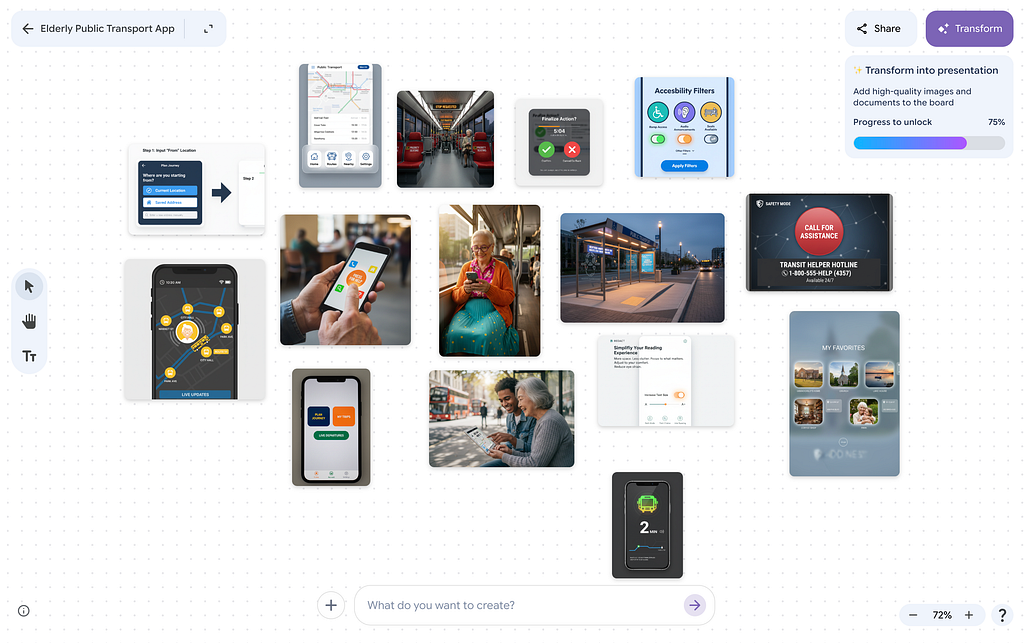
Mixboard is an AI visual board tool that lets you generate, collect, and remix design concepts using natural language prompts.
How Mixboard works: You submit a prompt and let the tool generate imagery for you. Mixboard will generate various types of images relevant to your task at hand. For example, in my case, for the prompt “Public transport app for elderly people,” it generated both UI mocks and AI-generated photos of senior people using digital products.
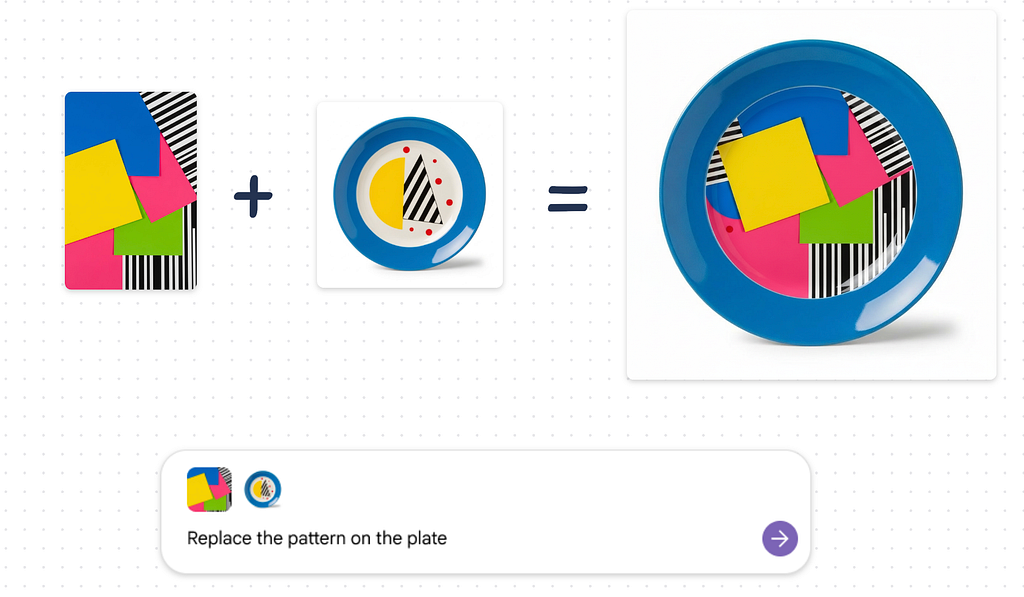
Quick tip: One nice thing about Mixboard is that it can both generate new imagery and remix existing images. For example, below you can see how to mix the pattern with the original graphic pattern on a plate.
🤖 Opal (No-Code AI Mini-App & Workflow Builder)
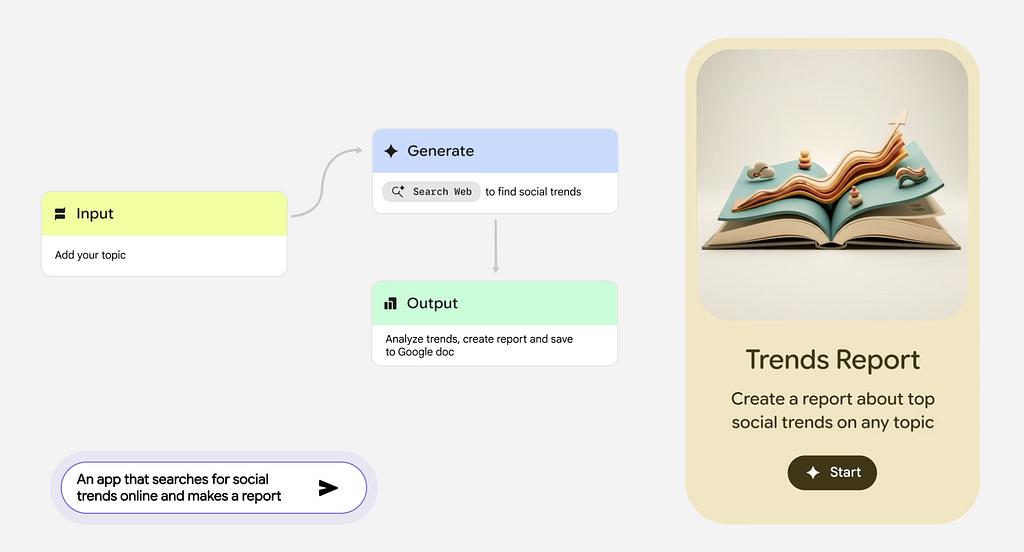
Not all tasks can be solved with a simple question-answer approach. For complex tasks its beneficial to see a workflow that AI is going through when it solves a particular problem. If you’re solving a complex problem, AI tool called Opal can be your companion.
How Opal works: This tool transforms simple text descriptions into reusable mini apps / workflows without coding. This approach is particularly useful for designers wanting to automate repetitive tasks (like market research, writing component description, generating project checklists, etc).
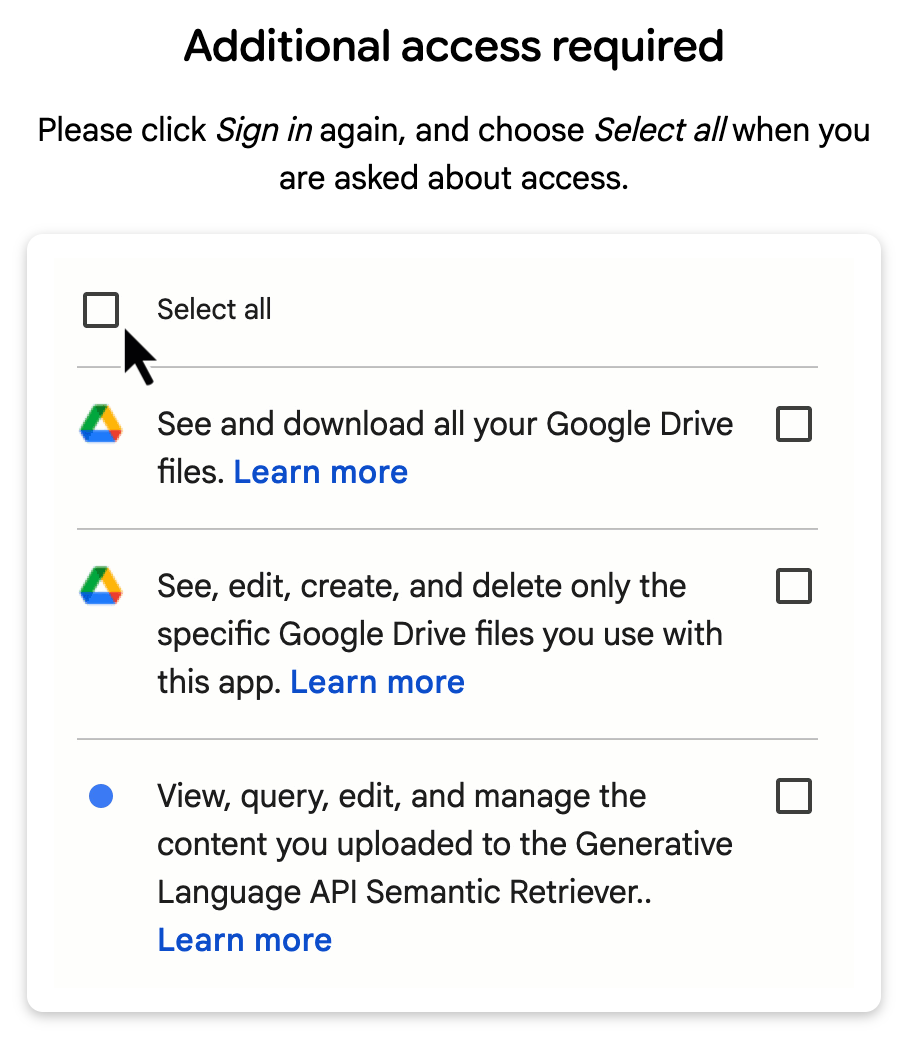
Quick note: Opal is still in beta and might not work stably. Also, the tool asks for full access to your data on Google Drive and permission to perform actions on your behalf. So my advice is to be careful with this tool when crafting a workflow if you’re dealing with sensitive personal or business data.
🎯 Pomelli (Brand-Aligned Marketing & Visual Content Generator)
While Mixboard can help you set initial visual style direction for your product, Pomelli will help you solidify it and create a foundation upon which you can build your brand.
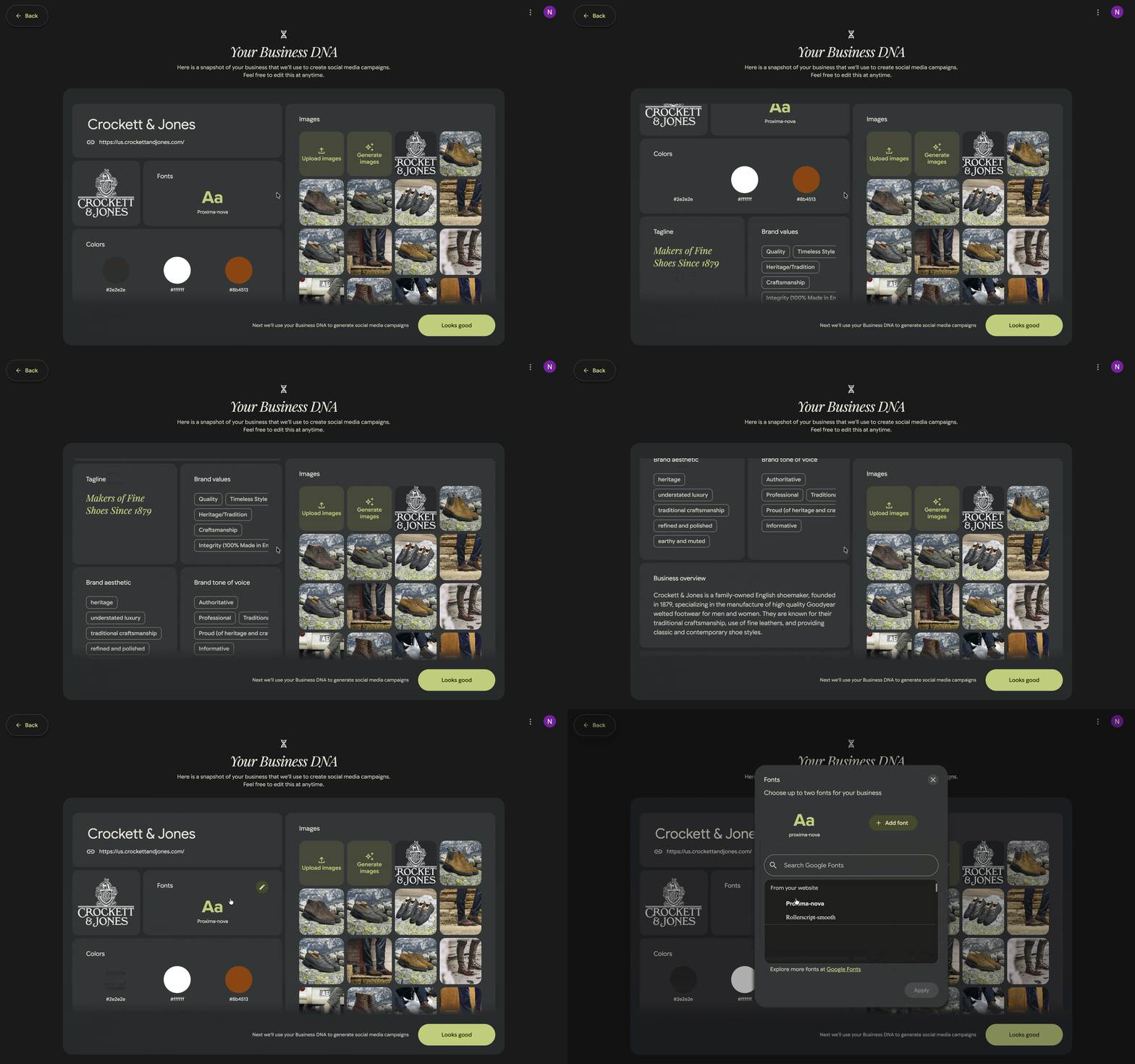
How Pomelli works: Pomelli can help generate visual assets, style palettes, and design ideas that align with brand guidelines. And the great thing is that AI extracts the visual style from your existing brand. You can feed the tool URL of your website, and it will extract your business DNA. Below, you can see how it works for a famous shoe brand.
Want to master AI-powered product design?
Join my free workshop, “Vibe design with AI” a 30-minute live, practical session where I’ll show you how to use popular AI image generators like Midjourney and NanoBanana Pro, along with specialized UI tools such as Figma Make and Figma MCP, to streamline your design process.

3 Google Labs AI Tools for Design Exploration was originally published in UX Planet on Medium, where people are continuing the conversation by highlighting and responding to this story.