The Shift From UX Designer to UX Engineer
AI isn’t just accelerating tasks — it’s bridging the gap between design and engineering.
In 2026, the designers who thrive won’t be the ones who just create beautiful Figma files. They will be the ones who understand structure, logic, systems, interactions, and implementation.
And the tools below are the ones I found worth exploring and mastering if you want to move beyond mockups and into building, shipping, and reasoning like an engineer — without losing your designer superpowers.
1. FigmaMake — From Concept to Prototype
Best for: Turning ideas into ready-to-test experiences
FigmaMake generates surprisingly coherent interface layouts that respect design patterns and component logic. It allows us to create coded interactive prototypes in minutes, allowing to test our experiences faster and see our ideas live. The best part — no need to leave Figma.
I have been using it a lot myself, both to ideate and test my designs, and it seemingly improved my workflow. Seeing my design implemented, testing it on different devices, before going to developers, changed my relationship with design from “handing off” to truly building.
Why it matters for the UX Engineer shift:
- Produces clean, editable components
- Helps you understand interaction patterns
- Speeds up interface architecture
2. Framer AI — Designing for the Browser, Not Just the Canvas
Best for: Designers stepping into real, shippable front-end work and creating interactive websites.
Framer AI allows designers to go from idea → responsive, interactive, production-ready website.
This is exactly the skillset that defines a UX Engineer.
Why it matters:
- You learn real constraints (CSS, layout, breakpoints)
- You see your design come alive in code
- You ship websites without needing a developer
3. Tempo.new — The Tool Every UX Engineer Should Learn
Tempo | Prompt. Develop. Design. Collaborate.
Best for: Turning UI ideas into real React components & interfaces
Tempo.new is one of the most important tools in the UX Engineer stack.
It blends AI, visual editing, and real code — letting designers build UIs with engineer-level capability.
Why it matters now:
- Generate React code from prompts
- Edit visually and in code simultaneously
- Bring real apps into Tempo and keep full ownership
- Bridge the design → development handoff
4. Khroma — Smarter Colour Systems That Work in Code
Khroma – The AI color tool for designers
Best for: Creating palettes that translate cleanly into design tokens
I had a lot of fun with it while working on my own products! Khroma learns your taste and generates repeatable, system-ready palettes.
Why it matters for UX Engineers:
- Colours are not just aesthetic; they are tokens
- Khroma helps you build scalable systems, not just pretty swatches
- Perfect for design systems and multi-brand apps
5. MagicPath — AI That Thinks in Systems
MagicPath | The Best AI Design Tool, Make Apps and Websites
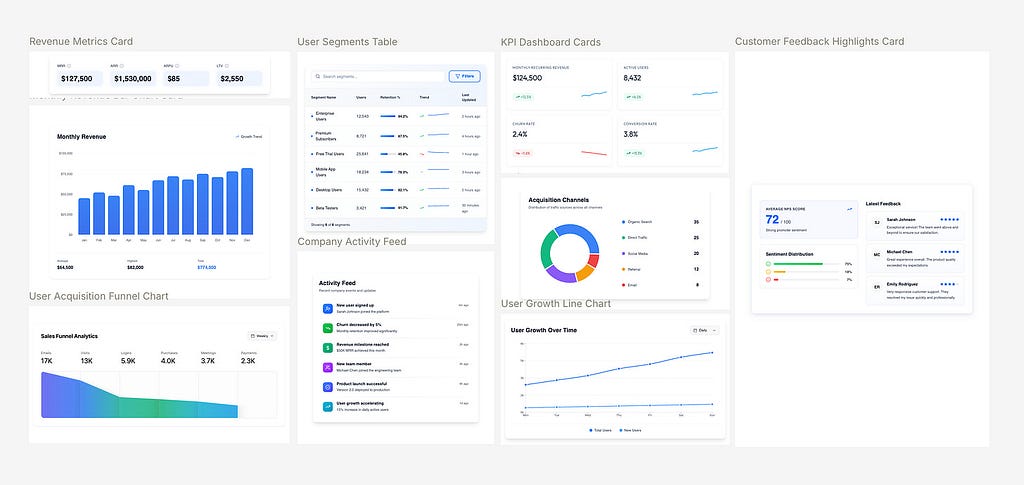
Best for: Creating interactive components, UI kits and libraries
MagicPath generates components and full libraries, that can be used to build interfaces directly in the app, or be exported to Figma.
I’ve used it on multiple occasions — building UI kits, ideating on components or ideating on variants.
Why it matters:
- You design foundation
- Speeds up creating reusable, interactive components
- Outputs that translate well into eventual implementation
6. UX Pilot — When AI Accelerates UX From Idea to Interface
UX Pilot – Superfast UX/UI Design with AI
Best for: UX designers who want to rapidly move from product ideas and flows to wireframes and UI screens, without starting from a blank canvas
As AI speeds up early-stage design, UX Engineers must be able to explore, iterate, and validate interface structures quickly — while keeping flows and screens coherent.
Why it matters:
- Generate wireframes and UI screens from text prompts
- Create multi-screen flows that reflect real user journeys
- Iterate on layouts and screens through chat-based commands
- Export structured designs directly to Figma for refinement
- Support early discovery with UX frameworks, diagrams, and prompts
UX Pilot helps designers move faster from concept → flow → interface, making it easier to test ideas early and arrive at more implementation-ready designs before handing off — or building further themselves.
7. Spline + AI — Bringing Interaction & Spatial Thinking Into the Designer Toolkit
Spline – 3D Design tool in the browser with real-time collaboration
Best for: 3D UI, interactive visual systems, motion-rich interfaces
Modern interfaces increasingly blend 2D, 3D, and micro-interaction. Spline is your go to option, if you are designing games or gamified interfaces.
Why it matters:
- Generate 3D objects with AI
- Animate components
- Export interactions into real products
8. Cursor — When Design Meets Real Code
Best for: UX designers transitioning into UX engineering who want to work directly with code or build and scale design systems.
As the line between design and development continues to blur, UX Engineers must understand how interfaces are actually built — not just how they look.
I have tested Cursor + Figma collaboration during a workshop and I have to say…it is truly a next step from Figma make or other tools. Using Figma MCP and Cursor, we can design, translate to code without friction and sync tokens and documentation, when it comes to UI kits or libraries.
Why it matters:
- Read and understand existing React, CSS, and JavaScript code using natural language
- Generate and modify UI components directly in code
- Refactor layouts, styles, and interactions to better match design intent
- Translate Figma designs and interactions into real implementation logic
9. Automator (Figma Plugin) — Internal Logic Automation for Design Systems
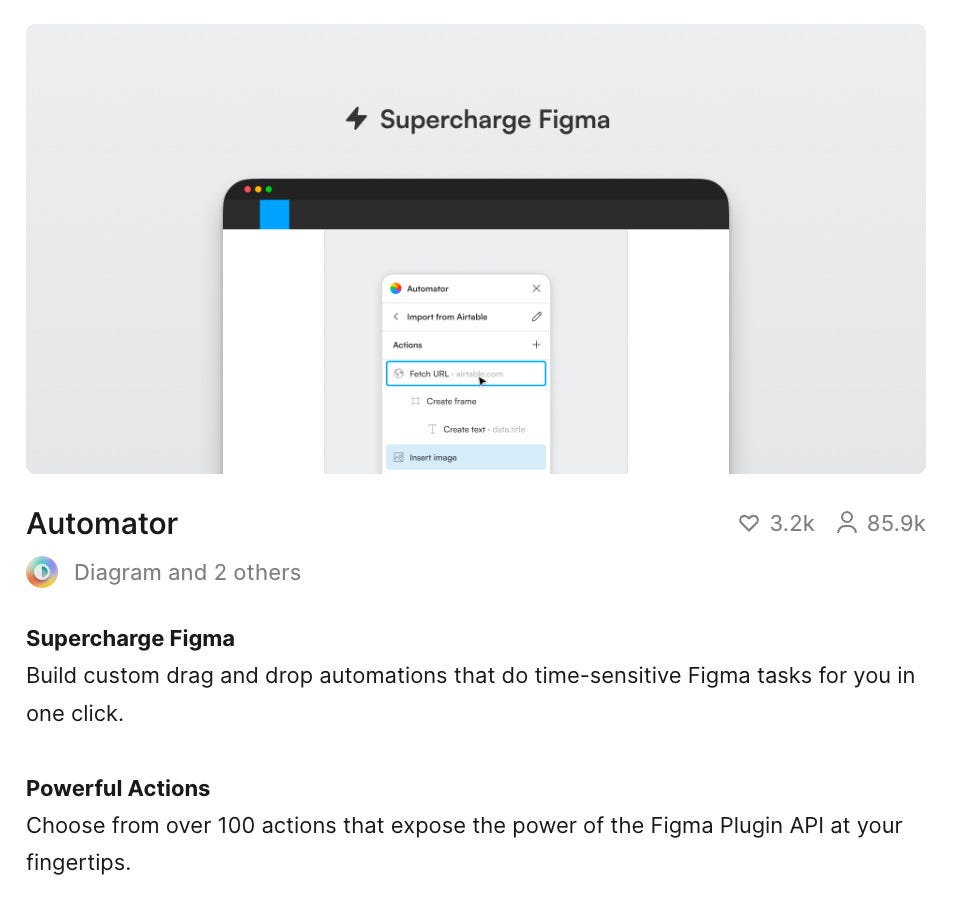
Best for: Scaling Figma workflows
UX Engineers often maintain design systems, libraries, and large files. Automator can save you countless hours on tasks like batch renaming layers, applying styles, or generating content.
Why it matters:
- Automate naming, constraints, resizing logic
- Reduce repetitive file maintenance
- Create system-level automation
10. Perplexity (or CharGPT) — Your AI Research Brain
Best for: Deep search, pattern discovery, product context
Building products requires context — technical, market, user, and competitor insights.
With Gen AI you receive that instantly.
Why it matters:
- Faster, grounded research foundation
- Great for product benchmarking
- Helps define system requirements
Make sure to double check AI output. Research insights and competitive analysis need validation, no matter how detailed and confident the AI report might be.
I will say it again: the divide between design and engineering is dissolving.
AI is giving designers the ability to:
- ship real interfaces
- manipulate code
- think in systems
- structure interaction logic
- collaborate directly with engineering
- design for real constraints
It is important not to rely on AI 100% though — AI accelerates the work, but you are still responsible for the decisions.
Master even 4–6 of the tools above, and you will feel more confident and in control as the design industry continues to evolve.
Thanks for reading! 🚀
About me
I am a product designer, writer and digital creator. With my heart in UX/UI design, I enjoy experimenting with mobile and web app concepts to sharpen my eye for details and nurture my creativity.
Find me on:
📷 Website | 🛒 Notion Marketplace|✖️ X (Twitter) | 📰 Substack
Have a project for me?
📧 elizaveta.demchenko.ux@gmail.com

AI Tools Designers Should Stick With in 2026 was originally published in UX Planet on Medium, where people are continuing the conversation by highlighting and responding to this story.