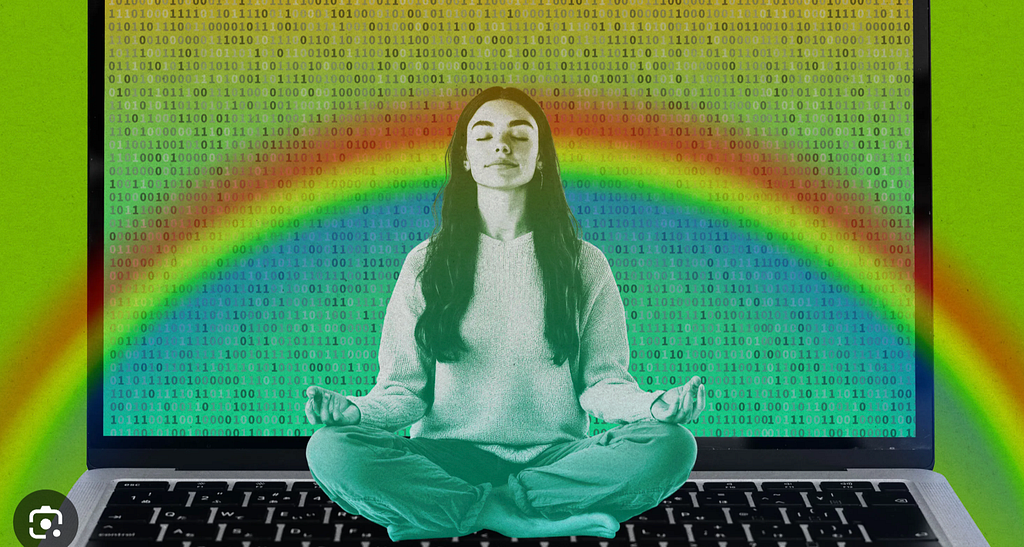
✨ Lately, I’ve found myself completely hooked on something called vibe coding.
It’s a way of building software using AI + intuition — where coding feels less like wrestling with syntax and more like having a creative conversation. Instead of staring at documentation and edge cases, I describe what I want to feel, and the product begins to take shape.
As a designer, this cracked open an entirely new world for me.
From “Writing Code” to “Shaping a Conversation”
Traditional coding workflows are structured, methodical, and precise. You translate requirements into logic, write code line by line, debug relentlessly, and only then see results.
Vibe coding flips that sequence.
It emphasizes:
- Immediate feedback
- Fast iteration
- Human–AI collaboration
Rather than obsessing over perfect specifications upfront, I start with intention and momentum. The result? Ideas move from imagination to a working prototype far faster than I ever thought possible.
Over time, I’ve distilled my vibe coding workflow into five reusable steps. Follow these, and you can turn an idea into a runnable prototype surprisingly quickly 👇
Step 1: Set the Vibe (Not the Spec)
The first rule of vibe coding: don’t start with implementation details.
Start with the feeling.
Instead of thinking about frameworks, data structures, or edge cases, I describe the experience I want to create — the scenario, the mood, the purpose.
For example:
“I want a clean, minimalist to-do list. It should support adding and deleting tasks, feel calm and distraction-free, and look good enough to show in a presentation demo.”
No architecture diagrams. No technical constraints. Just the vibe.
This step is liberating, especially if you come from a design or product background. You’re allowed to stay in the abstract a little longer.
Step 2: Don’t Overthink — Throw It to AI Immediately
Once I have a single clear prompt, I give it straight to AI.
That might be:
- VS Code + Copilot
- Cursor
- Or any AI coding assistant I’m currently experimenting with
Even if the output is only 50% correct, that’s enough.
Why? Because the hardest part of building anything is getting past zero.
AI gives me a first draft instantly. I run it, see what breaks, see what works, and respond. The key mindset here is speed over perfection. I expect rough edges. I embrace them.
Step 3: Run, React, Refine
This is where vibe coding starts to feel magical.
Once the core functionality works, I iterate in real time by talking to the AI:
- “Can you make the buttons more rounded?”
- “Soften the color palette.”
- “Add hover states and subtle animations.”
- “Auto-save state so I don’t lose progress.”
It feels a lot like pair programming, except my partner never gets tired. I throw out ideas, AI fills in implementation details, and we iterate together.
After a few rounds, the code starts to look eerily close to what I had pictured in my head.
Step 4: Instant Feedback = Unexpected Delight
Every change is immediately visible. I run the app and see the result right away.
Sometimes — unexpectedly — the AI suggests something better than what I imagined. A layout tweak. A UI pattern I hadn’t considered. A tiny interaction that sparks a new idea.
This is one of my favorite parts of vibe coding.
It’s not fully predictable. It’s not 100% controllable. But it’s often surprising in the best way. That element of discovery brings back a sense of play that many of us lost after years of “serious” engineering workflows.
Step 5: Loop and Expand
After one full cycle, I usually have a small but functional product.
From there, I keep layering:
- Calendar integrations
- Weekly summaries
- Connections to chat or collaboration tools
What started as a demo gradually becomes a shippable module. The feedback loop stays tight, and momentum stays high.
A Shift in Mindset
Here’s the biggest realization I’ve had:
Traditional coding
Translate requirements → write logic → debug → deliver
Vibe coding
Describe the vibe → AI generates a draft → I adjust the vibe → ship fast
Traditional coding often feels like translating ideas into machines’ language.
Vibe coding feels like co-creating.
For designers, it collapses the distance between inspiration and prototype.
For non-programmers, it dramatically lowers the barrier to turning ideas into reality.
Letting Go of Control
I’ve been a designer for a long time. Control is deeply ingrained in how I work:
- Wireframes must be logically sound
- Prototypes must be precise
- Requirements must cover every edge case
Traditional coding reinforces this mindset — it rewards certainty.
Vibe coding challenges it.
It allows (and even encourages) ambiguity:
- You describe a vibe, not a perfect spec
- AI outputs possibilities, not a single “correct” answer
- Progress isn’t linear — it’s exploratory
For the first time, I felt that technology could be fluid and emotional, not just rigid and rational.
Between Order and Chaos
We often think:
- Design = emotional
- Code = logical
Vibe coding builds a bridge between the two.
It reminded me that creativity doesn’t live in pure order or pure chaos — but in the tension between them. Creation is a dance, not a checklist.
On a deeper level:
- Vibe coding removes the gatekeeping around creation
- People without technical backgrounds can now participate directly
- Innovation accelerates because more people can go from idea → reality
And personally, it changed how I see my relationship with tools.
I’m no longer trying to control AI.
I’m playing music with it.
Final Thought
Vibe coding isn’t just a new way to write code.
It’s a new creative mindset — one where intuition is valid, exploration is encouraged, and building feels alive again.
And honestly?
That’s the most excited I’ve felt about making things in a long time.

No 44. Vibe Coding Workflow for Non-Programmers was originally published in UX Planet on Medium, where people are continuing the conversation by highlighting and responding to this story.