
Conversational user interface is quickly becoming a new standard of how we interact with digital products and services. The rise of ChatGPT, Claude, and Gemini had a tremendous impact on how people expect digital interfaces to respond to their inquiries. The shift in user expectations impacted all areas of UIs, including one that felt unshakable. I’m talking about the search experience. Users expect modern search to answer questions, not just return links.
In this article, I want to discuss how user expectations lead to this new type of search experience and how you can introduce this new experience to your website today.
Search is dead. Long live AI search
From the early days of the internet, the idea of the search was grounded in this way of interaction:
- Users formulate and submit a search query.
- The system responds to this search query with the list of links that are relevant to the search query.
Before the AI era, this was conventional behavior. This is how the Google Search engine worked, and this is what people expect from all other websites. But OpenAI with ChatGPT disrupted it. ChatGPT proved that people value their time and want to quickly find a solution to their problem.
When it comes to search, people want answers. And they want to use mechanisms that allow them to get answers as quickly as possible (in fact, 73% of visitors abandon digital journeys when they can’t find answers quickly). The format that works best for most users is known as a ChatGPT-style format.
ChatGPT-style format is a conversational format. Users ask questions, and they receive direct answers. They can follow up with additional questions to clarify something or narrow down the search area.
How to add ChatGPT-style AI Search on your website
There are a few ways you can add ChatGPT-style answers on a website. The first option is to use a general-purpose AI assistant model like ChatGPT 5.4 for search.
Although this seems like a reasonable solution, embedding a general-purpose AI assistant introduces several challenges:
- Hallucinations. AI models are prone to hallucination. General AI models may generate answers that aren’t grounded in your content.
- Data privacy concerns. Your content may be sent to external AI providers or used for model training.
- Lack of source transparency. The AI model is a black box, and you have a limited idea of how it gets the answers. There is no such thing as a search log when you use an AI model.
For many organizations, especially those with compliance or data-governance requirements , these challenges are critical. They will likely choose a tool that offers AI answers generated directly from their own website content and provides better privacy and source transparency.
A safer option is to use a dedicated AI-powered search system that guarantees data privacy and has a minimal risk of hallucinations. One good example is AddSearch. This system reads the content already published on your website and generates responses grounded entirely in that content. And no data is used for AI training, no content is shared with third parties (the tool is SOC 2 Type II certified).
Quick Guide to adding ChatGPT-style answers on website
Let’s discuss what you will get if you decide to use AddSearch on your website.
First, and very important, this tool is not a chatbot; it is an AI layer integrated with the existing search functionality of your website. AddSearch integrates with keyword search solutions, meaning that you don’t need to radically change your search feature. You can offer AI-generated answers alongside a conventional list of links, giving users the freedom to choose the options that work best for them. People who prefer to navigate links can switch to the Search tab and see the list of relevant links. And the nice thing is that this list is dynamic, meaning that it’s updated based on the conversation.
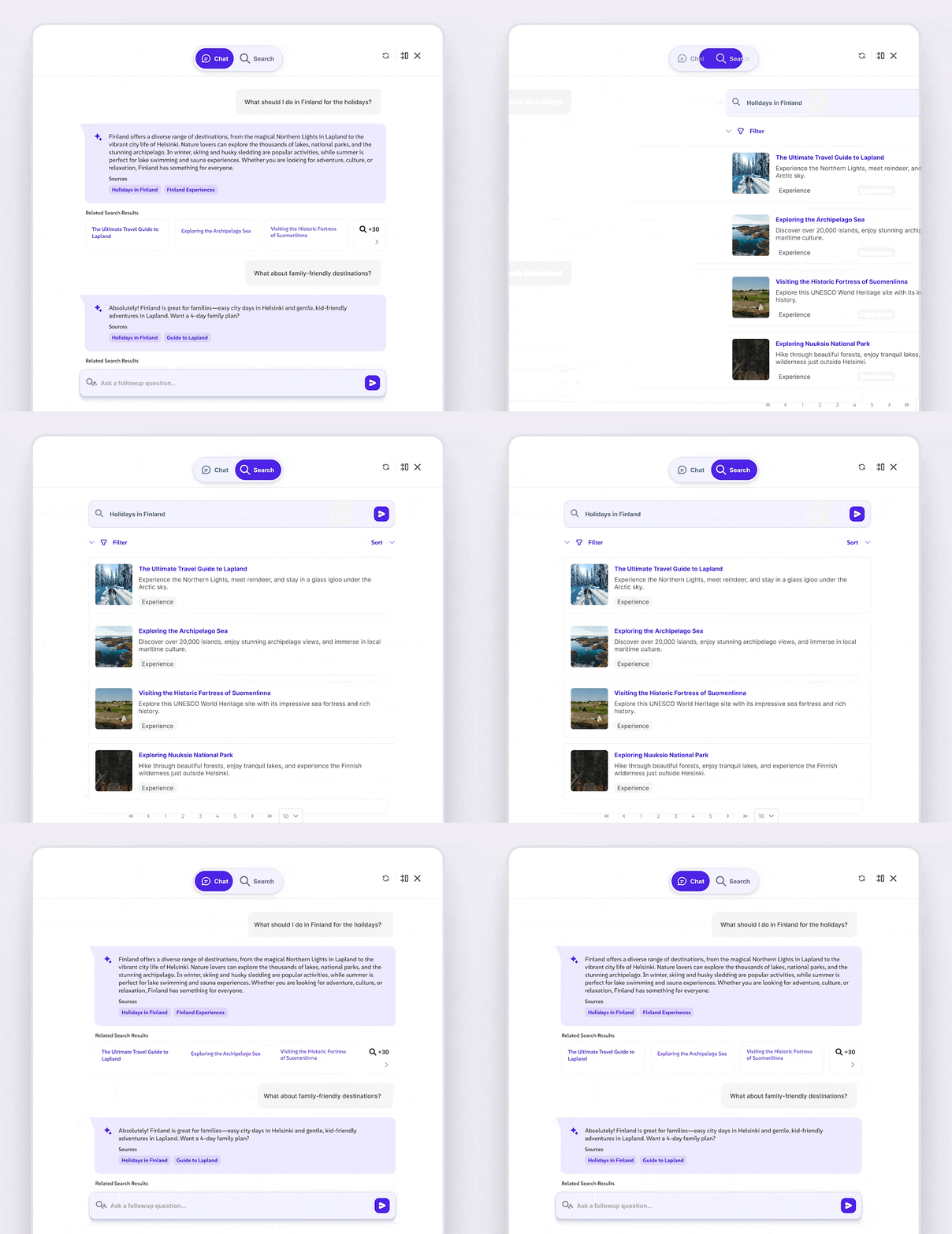
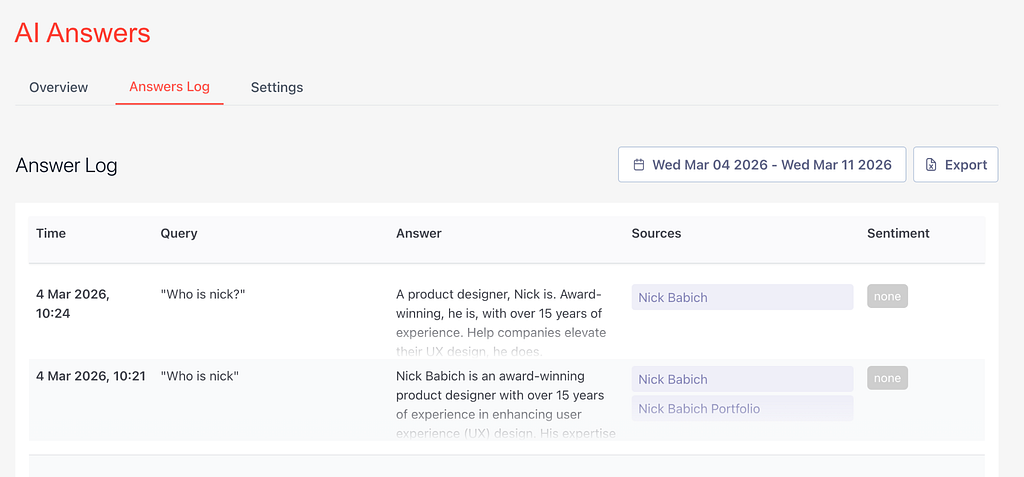
When it comes to AI-generated answers, AddSearch offers AI Answers (single-question, direct answer) and AI Conversations (multi-turn conversational AI search). Each type of interaction serves its own purpose. AI answers work best for transactional operations (when users expect to get a very specific answer to the question they have). For example, if I use AI answers on my personal website, the popular question I will get will be “Who is Nick?”
AI conversations, on the other hand, work best when users need to clarify something or want to ask follow-up questions to better articulate their intention. One good example is planning a family vacation. Once you provide initial details, you can ask follow-up questions to clarify staying details (i.e, “Can I stay in this hotel with my dog?”)
Another great thing about this tool is that you can customize the tone and voice to your needs. You can choose an educational tone for a university website, a very formal tone for a legal institution like a lawyer’s website, etc. The ability to customize tone allows creating a more tailored, human-friendly experience for the site’s visitors. For example, for my personal website, I prefer to use a more formal tone with in-depth answers. So in AddSearch, I choose a Professional persona with a detailed style and format for the system’s responses. A nice thing is that it’s possible to test the AI’s output directly within the customization context and fine-tune the settings.
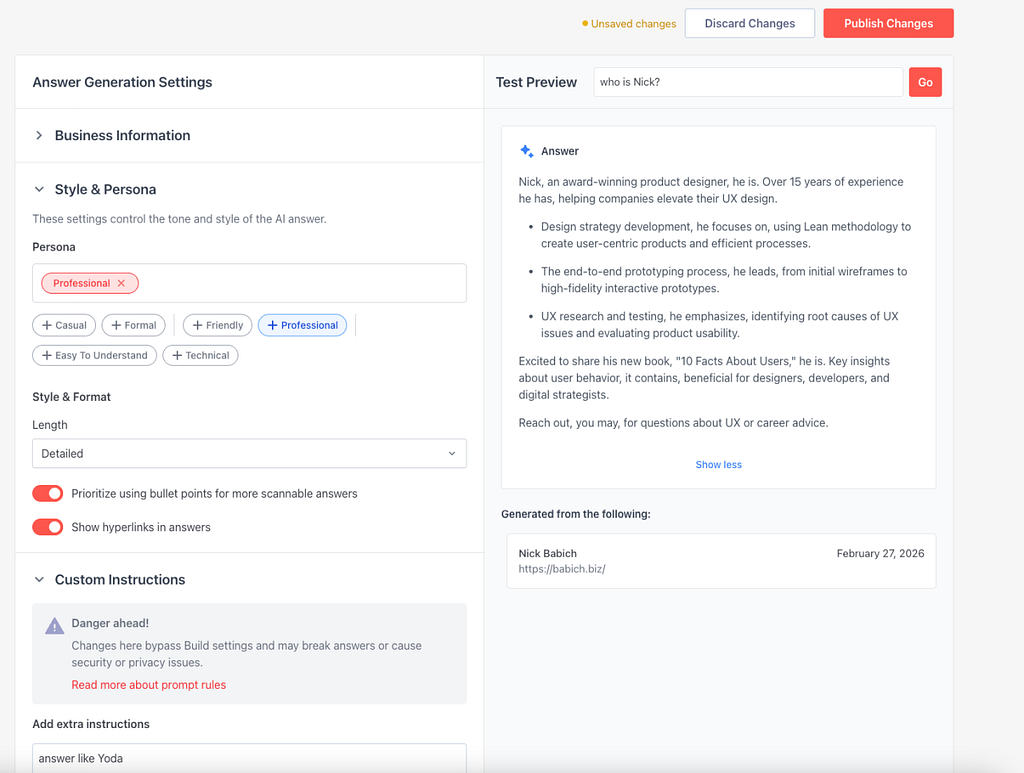
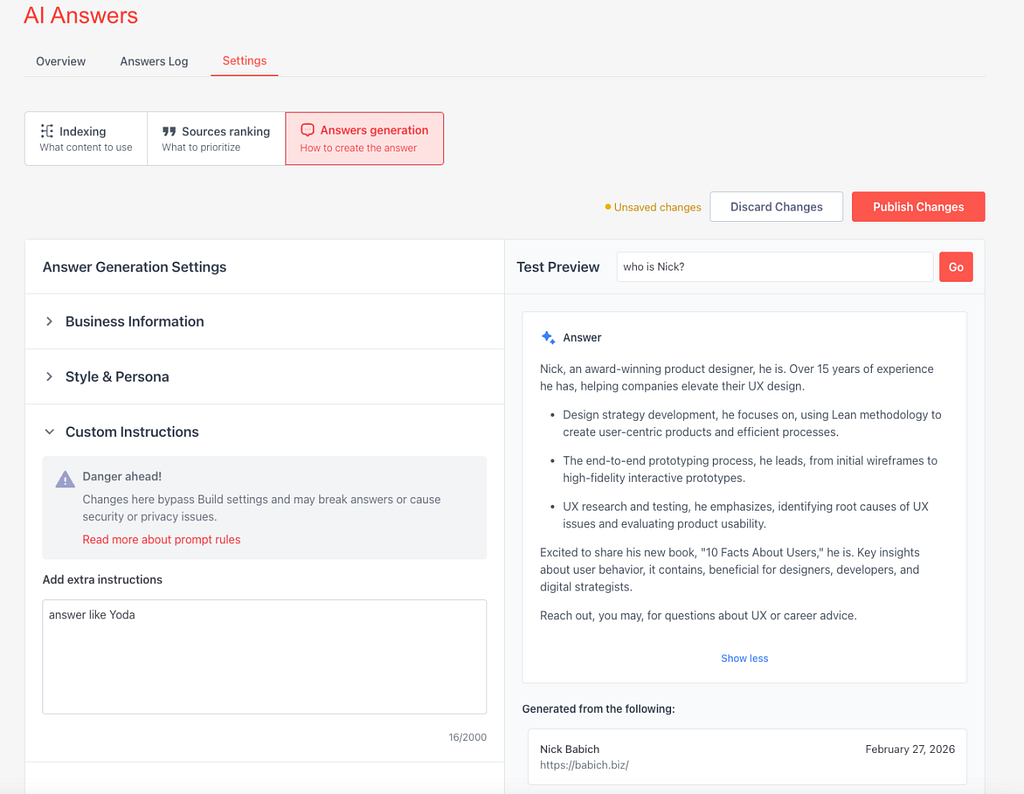
Quick note: it’s possible to make the AI-generated output even more tailored to the needs and wants of your audience by adding custom instructions. For example, I can include an extra instruction like “answer like Yoda” to create the impression that users are interacting with Master Yoda from Star Wars. If you look at the first sentence of the output AddSearch generated for me (“Nick, an award-winning product designer, he is.”) you’ll notice that this is exactly how Master Yoda speaks.
Bring conversational AI search to your website
In the AI era, visitors expect websites to behave more like intelligent assistants than static information repositories. They want to ask questions and receive answers immediately, without navigating through multiple pages. And platforms like AddSearch make all this possible. Adding AI-powered search capabilities to your website can be done fast and efficiently. And in a few days, you will create a completely different, improved experience for your site’s visitors.
👉 Get a personalized demo of AI Conversations using your own content: https://www.addsearch.com/ai-conversations-demo/

Why ChatGPT-Style Answers are the Future of Site Search and How to Add It to Your Website was originally published in UX Planet on Medium, where people are continuing the conversation by highlighting and responding to this story.